Your Favourite Tools, Now Connected to Payworks

Share this article

Key Takeaways
Payworks integrates directly with the accounting, HR, and POS platforms your team already relies on — with no coding required. Pre-built connectors let data flow automatically between your systems, eliminating manual re-entry and the errors that come with it. This post breaks down how Payworks integrations work, which tools they connect to, and why your accountant will probably love you for it.
In this post:
- What are Payworks integrations?
- Which tools does Payworks connect to?
- How do Payworks integrations work?
- Why does this matter for accountants and bookkeepers?
- FAQs: Payworks and integrations
Let's be real: payroll doesn't live in a vacuum. Between your accounting software, your scheduling system, your point of sale, and your HR platform, there's a lot of data moving around. And if it's not being transmitted automatically, that means someone on your team is transferring it manually. Payworks integrations are built to fix exactly that. By connecting our payroll platform to the tools you're already using, we keep your data in sync: automatically, reliably, and without anyone needing to write a single line of code.
What are Payworks integrations?
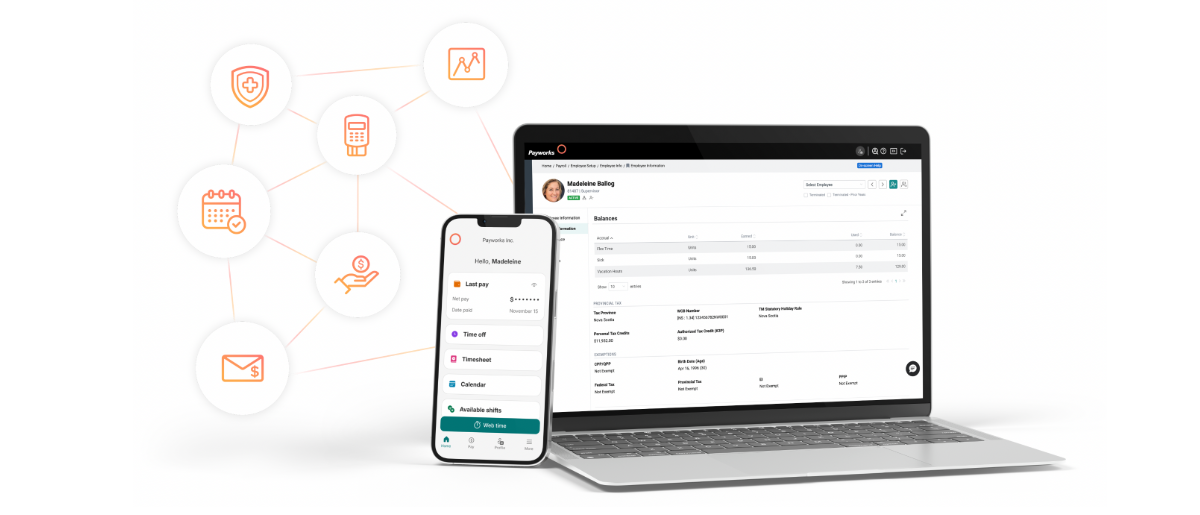
Payworks integrations connect our payroll and workforce platform to other business software, such as accounting tools, HR systems, POS platforms, benefits providers, and scheduling apps, so that data flows between them automatically, without manual entry or file uploads.
Think of it as giving your systems a shared language. When a pay run is processed in Payworks, the relevant information like journal entries, employee data, labour costs flow directly into your connected platforms. No spreadsheet exports. No re-keying. No "oops, I forgot to update that."
Which tools does Payworks connect to?
We play well with others. Here's a look at the categories of tools Payworks integrates with:
Accounting & Finance — This is the big one for accountants and bookkeepers. Journal entries flow directly into your accounting platform using your existing GL and cost-centre setup. Multi-entity structures stay intact, and automated syncs mean your month-end close is faster and cleaner. If you're a Payworks client, this one tends to be a favourite.
Point of Sale (POS) — Hours, tips, and premiums flow automatically from your POS into Payworks, giving you a complete view of labour costs across locations.
Expense & Finance Tools — Reimbursements, allowances, and employee details stay aligned across systems, reducing reconciliation work and keeping month-end predictable.
HRIS & Scheduling — Onboarding, scheduling, and payroll stay connected so nothing falls through the cracks when an employee's information changes.
Payworks pro tip: Not sure which integration is right for your setup? Explore our full list of connected platforms here.
How do Payworks integrations work?
Here's the short answer: you set it up once, and then it just... works.
Our integrations are built API-to-API, with guided mapping that walks you through connecting your platforms. You don't need a developer, an IT team, or any technical background. Once configured, syncs run automatically, either after each pay run or on a schedule you define.
There's also built-in monitoring and real-time alerts, so if something isn't syncing as expected, you'll know about it before it becomes a problem. All of your data processed through Payworks integrations stays protected in Canadian data centres with SOC 2–aligned security controls, because keeping your information in Canada isn't just a preference, it's part of how we're built.
And as your business grows, our integrations scale with you. No rebuilding. No reworking. Just add what you need.
Why does this matter for accountants and bookkeepers?
If you work with multiple clients, or manage the books for a business with multiple systems, you know how much time gets eaten up by data that doesn't talk to itself. Payworks integrations are designed with that reality in mind.
With one-click journal entry sync, payroll data lands in your accounting platform automatically, using your existing chart of accounts. There's no reformatting, no manual imports, and no chasing down the payroll manager to send you a report. Multi-entity structures remain intact, so if you're handling several companies, your GL stays clean and organized.
The result? Fewer errors, faster reconciliations, and a financial close that doesn't require staying late.
We've got you covered whether you're a small practice managing a handful of clients or a larger firm with complex multi-entity needs, our integrations are built to fit how you actually work.
What is a journal entry sync?
A journal entry sync is an automated process that transfers payroll financial data, including earnings, deductions, and employer costs, directly into your accounting software using your existing general ledger structure, without any manual export or re-entry.
FAQs
Does setting up a Payworks integration require coding or IT support?
No. Our integrations use API-to-API connections with guided mapping, so you can configure them without any technical background or developer time. Most clients are up and running with minimal setup effort.
Which accounting platforms does Payworks integrate with?
Payworks connects with a number of popular accounting platforms used by Canadian businesses and their accountants. Visit payworks.ca/solutions/integrations/overview for the current list of supported platforms.
Is my data secure when using Payworks integrations?
Yes. All data processed through Payworks integrations is hosted in Canadian data centres and protected by SOC 2–aligned security controls. Your information stays in Canada — always.
What happens if a sync doesn't work as expected?
Payworks integrations include proactive monitoring and real-time alerts, so you're notified if something isn't syncing correctly. This visibility helps catch issues early before they create downstream problems in your reports or financials.
Ready to connect your tools?
If your team is still rekeying payroll data into your accounting software, it's time to put that work on autopilot. Explore Payworks integrations and see what's possible for your business at payworks.ca/solutions/integrations/overview.
These articles are produced by Payworks as an information service. They are not intended to substitute professional legal, regulatory, tax, or financial advice. Readers must rely on their own advisors, as applicable, for such advice.