How Labour tracking gives your timesheets project-level visibility without a second system

Share this article

Key Takeaways
Your employees already track their hours in Payworks. Labour Tracking adds one question to that process: what were those hours for? You define a custom category, your team allocates time to it inside their existing timesheets, and the Worked Tracked Labour report connects hours to projects, clients, or tasks. No manual spreadsheet. No parallel system. No reconciliation after the fact.
In this post:
What problem does Labour Tracking solve?
If you’re a Payworks Time Management client, your timesheets already tell you how many hours each employee worked and when. What they don’t tell you is what those hours were for. Which project? Which client? Which production stage?
Most businesses that need this detail have built their own workaround. A spreadsheet that runs alongside the timesheets. Project codes embedded in position names until the list is unmanageable. A paper log that someone reconciles manually against the payroll data every pay period.
These workarounds work until they don’t. The spreadsheet and the timesheet drift apart. An employee forgets to fill in the paper log. A finance request for labour costs by project becomes a two-day exercise instead of a report.
Labour Tracking puts that detail inside the timesheets themselves, so it’s captured when the time is entered, not assembled after the fact.
How does Labour Tracking work inside Time Management?
Labour Tracking adds a single custom category to your timesheets. You name the category whatever makes sense for your business, for example: “Project Number.”, “Client.”, “Task Type.”, or “Trailer Number.” You can add as many options within that category as you need, there’s no cap.
When employees enter their time, they select an option from the category. If they worked on three projects in one shift, they split the time across all three, with start and end times tracked to the minute. The allocation happens right inside the ESS timesheet or Web Time punch they already use. No separate app, no extra step at payroll time.
Admins control who sees what. Each option has its own access setting: Everybody (employees and admins), Admins Only (the admin assigns the time), or Nobody (archived but historically preserved). Sensitive project codes stay hidden from employees. Retired options disappear from the dropdown but the historical data stays intact.
The whole thing is self-enabled. You turn it on under Time Management > Company Setup > Company Rules, configure your category, and your team starts tracking on their next login. There’s no Payworks implementation engagement required.
What does the report look like?
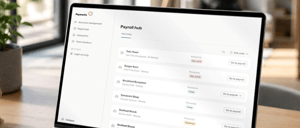
The Worked Tracked Labour report is a new delivered report in the Payworks Report Builder. It returns all approved timesheet records alongside their labour tracking entries for any date range you choose. Each row includes the approved hours, the labour tracking option, the employee’s rate, and the calculated pay.
It’s available through the Report Viewer and exports to CSV. Your finance team can pull project-level labour cost data without waiting for a custom report build. Your operations team can see which projects consumed the most hours last month. And if you bill clients for labour, the report gives you the detail you need to substantiate the invoice.
Retroactive edits make the report more useful over time. Admins can go back and update labour tracking entries on historical timesheet records without touching the underlying payroll data. If someone allocated a shift to the wrong project three pay periods ago, you fix the labour tracking entry. Payroll stays untouched. The report reflects the correction.
What kind of business should be looking at Labour Tracking?
Labour Tracking is strongest for businesses where employees regularly work across multiple projects, clients, or task types in a single day. A few examples:
- A manufacturing operation where employees move between production stages or work orders within a shift. The position list has gotten long because project codes are embedded in position names. Labour Tracking replaces that with a clean, separate category.
- A professional services firm where staff bill time to clients. The firm needs hours by client for invoicing, but the timesheets only show total hours by employee. Labour Tracking gives you the client-level breakdown without a parallel tracking system.
- A healthcare or home care provider where clinicians travel between patient locations or program sites. Leadership wants to understand labour costs by site or program, not just by department.
- A field services company where technicians visit multiple client properties in a day. The owner needs hours per property for accurate invoicing. Today that data lives in a spreadsheet someone maintains separately.
- An R&D team tracking hours by project for SR&ED claims. Retroactive allocation across past pay periods is critical, and the historical integrity of the data matters.
The common thread: you need to know what the hours were for, not just how many there were. And you need that detail in a report, not in a spreadsheet someone reconciles manually.
How do I turn it on?
Labour Tracking is self-enabled. There are four steps:
- First, enable Labour Tracking under Time Management > Company Setup > Company Rules. It’s active on your next login.
- Second, name your category and add your options. Call it “Project Number” and add your project list. Call it “Client” and add your client names. Whatever fits your business.
- Third, set access rights per option. Decide which options employees can see and which are admin-only.
- Fourth, run the Worked Tracked Labour report through Report Builder. Choose your date range, generate, and export to CSV.
There is no Payworks implementation engagement required. You can adopt it at your own pace.
How do I get Labour Tracking if I'm not an existing Payworks client?
If you’re not an existing Payworks client but you’d like to learn more about Labour Tracking and our other workforce management solutions, visit Payworks.ca to book a demo.
Frequently asked questions
Does Labour Tracking change how employees get paid?
No. Labour Tracking is a reporting layer. It does not affect pay rates, overtime calculations, or any other payroll calculation. Time flows to payroll the same way it always has.
Can I track more than one category at the same time?
Not in this release. Labour Tracking supports one category per policy. If you need both “Project Number” and “Task Type” as separate fields, that’s not supported yet.
Does labour tracking data flow to the journal entry?
Not currently. The Worked Tracked Labour report exports to CSV for entry into your accounting system. If journal entry integration is a hard requirement today, talk to our customer service team about a Custom Journal Entry Export report.
Can I go back and fix an allocation from a previous pay period?
Yes. Admins can add or update labour tracking entries on historical timesheet records without touching the underlying payroll data. This is critical for client billing reviews, audit responses, and SR&ED claims.
Do employees have to use it?
That depends on how you configure access. If an option is set to Everybody, employees see it and can allocate their time to it. If it’s set to Admins Only, employees don’t see it at all and the admin manages the allocation.
Is there a limit to how many options I can add?
No. Add as many options as your business needs. The category scales as you grow.
Does it work with Web Time punches?
Yes. Labour Tracking is available on both ESS timesheets and Web Time.
If your business needs to know what the hours were for, not just how many there were, Labour Tracking is built for you. Reach out to your Payworks representative or contact us directly.
These articles are produced by Payworks as an information service. They are not intended to substitute professional legal, regulatory, tax, or financial advice. Readers must rely on their own advisors, as applicable, for such advice.